








Every invoice. Tracked and paid.
What it is
Invoicing is built into the workflow. Sales invoices generate from progression, maintenance invoices attach to jobs with AI handling entry, and everything posts to the right ledger in a single, central view.
Who benefits
Finance Manager. Generate invoices directly from sales progressions and maintenance jobs. AI pre-fills contractor invoice details from the PDF, with commission, VAT, and payment method captured at source, all in one invoices table.
Property Manager. Every invoice sits on the job or the sale it relates to. See what's invoiced, what's pending, and where payment stands, without switching systems.
Landlord. Every charge links to the work that was done, with a clear breakdown of cost and context so there's nothing to chase or second-guess.
3 types
Upfront, completion, and one-off invoices. Sales and lettings covered.
1 click
Generate and send a completion invoice directly from sales progression.
Full trail
Every invoice linked to its job or sale. Every amount, every status change logged.
Invoicing without the admin. Sales, maintenance, and ad hoc, every invoice type in one place.
Every invoice in one place.
Sales and maintenance invoices are linked back to the work that created them, with one table, full history, and no spreadsheets on the side.

Invoice directly from progression.
Completion invoices generate from the sales progression page and can send automatically on exchange or completion if you choose. Upfront invoices pull from instruction fees, and one-off invoices cover everything else, all inside the sales workflow rather than a separate tool.
- Auto-send on exchange: Toggle it on and completion invoices generate and send when a sale exchanges or completes. Due dates follow the rules you set.
- Vendor or solicitor: Choose the recipient, or send to both on completion.
- Credit notes: Reverse any invoice in full with a customer-facing reason. Follows your sequence automatically.

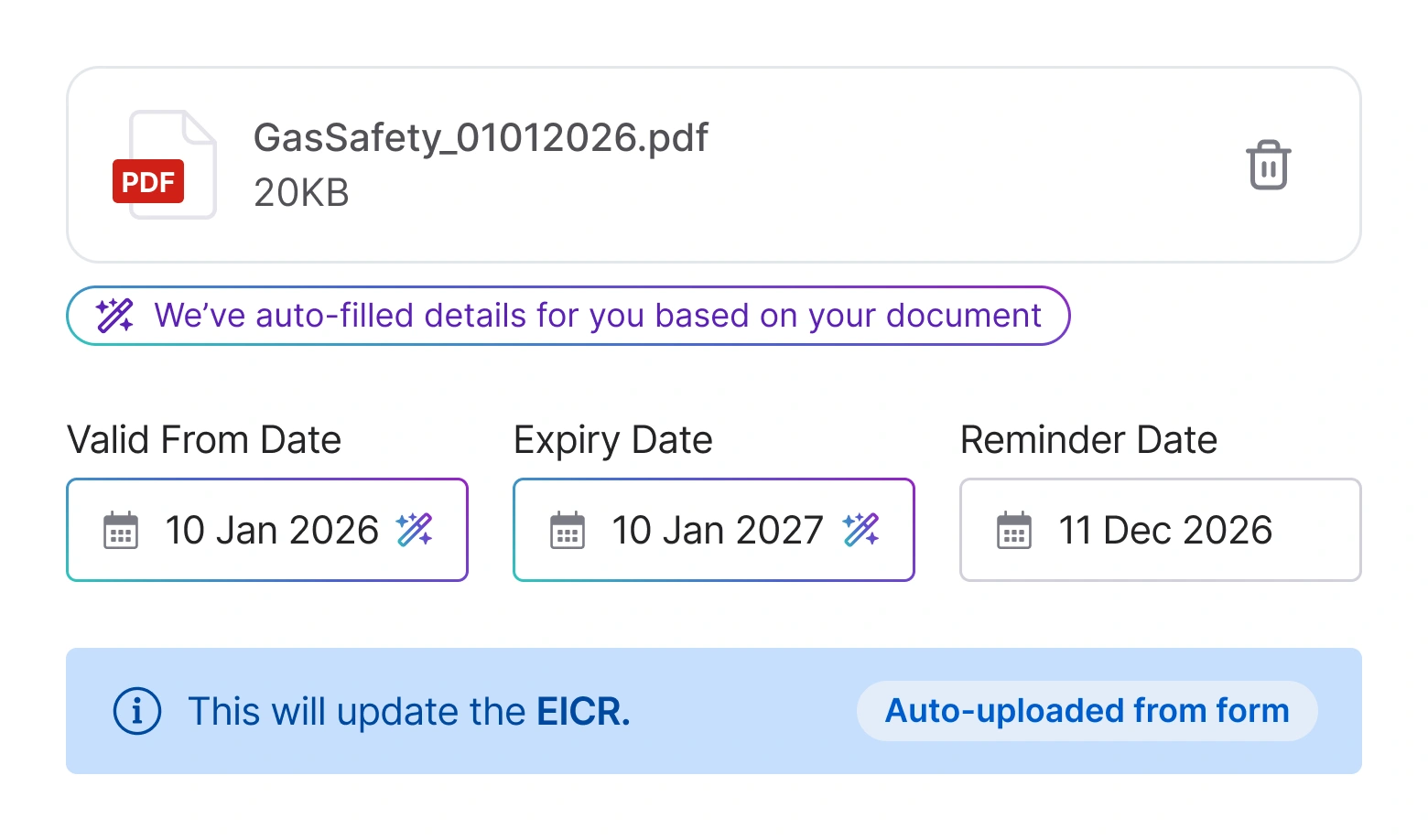
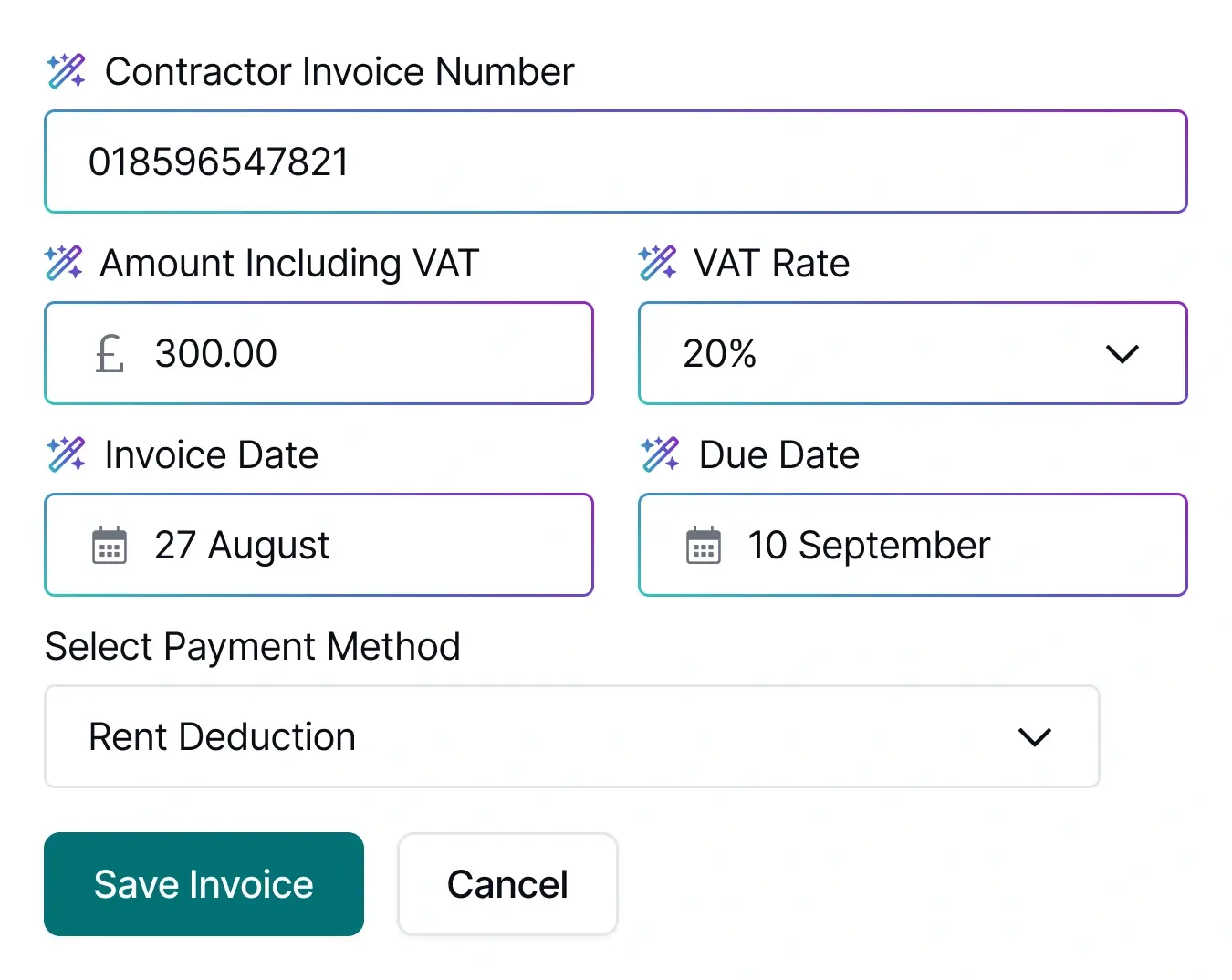
Upload once. The details fill themselves.
The contractor invoice goes onto the job record, and Street.co.uk AI reads the PDF to pre-fill amount, VAT, invoice number, and dates. The original quote sits alongside, and payment method, commission, and VAT rate are captured before the invoice is finalised.
- AI extraction: Amount, VAT, invoice number and dates pulled from the PDF. No typing.
- Quote reference: Instructed quote displays alongside so discrepancies are obvious before approval.
- Payment routing: Rent deduction, owner direct, tenant, or agent. Charges post to the correct ledger automatically when using client accounting, or skip ledger posting entirely with owner direct.
- Commission: Deducted from the contractor total. Visible on contractor statements, hidden from landlord payment advice. Available when managing client accounting through Street.co.uk.
RELATED FEATURES
Frequently asked questions
Three types. Upfront and completion invoices for sales properties, based on instruction fees. One-off invoices for any property, sales or lettings, where you set the line items yourself.
Yes. Toggle it on in company settings and choose whether to trigger on exchange or completion. You set the due date as a number of days post-exchange or post-completion. The invoice generates and sends to the vendor and solicitor automatically.
The original quote amount displays alongside the invoice details so your team can see the difference before approving. They can edit the invoice, void it, or go back to the contractor.
Remove the auto-fill and enter the details manually. The workflow continues either way.
If you manage client accounting through Street.co.uk, enter a commission amount when adding the invoice. It's deducted from the contractor total and shows on their statement, but doesn't appear on the landlord's payment advice.