








Branded brochures, built from your listings in minutes.
What it is
Generate professional, branded property brochures directly from Street. Select a template, customise photos and text, and save a polished PDF, ready to email, print, or publish to the portals. No design software. No external designers. No leaving the platform.
Who benefits
Branch manager. Templates are configured at branch level. Every brochure your team produces is on-brand, consistent, and ready to share. No design agency in the loop.
Lister. Your existing property details and photos pull in automatically. Customise the layout, save, and publish to portals the same day the property goes live.
Negotiator. Generate a brochure straight from the property page. Swap photos, tweak text, save as PDF. Done before your next appointment.
Consistent branding
Every brochure, every branch, automatically. Your logo, colours, and layout are built into every template.
Portal-ready in one save
Publish to property portals with a single tick. The brochure goes live with a public URL attached.
PDF in hand
Download, print, or email a professional brochure from within Street, without touching any other software.
Property details pull straight from Street.co.uk into a branded brochure your whole team can generate, customise, and share in minutes.
Brochures out the door before your next appointment.
Every brochure pulls from data already in Street. Your primary photo, your description, your property details: pre-loaded and ready. Pick a template, make your edits, save. Stored, shareable, and portal-ready.

One session. One brochure. Done.
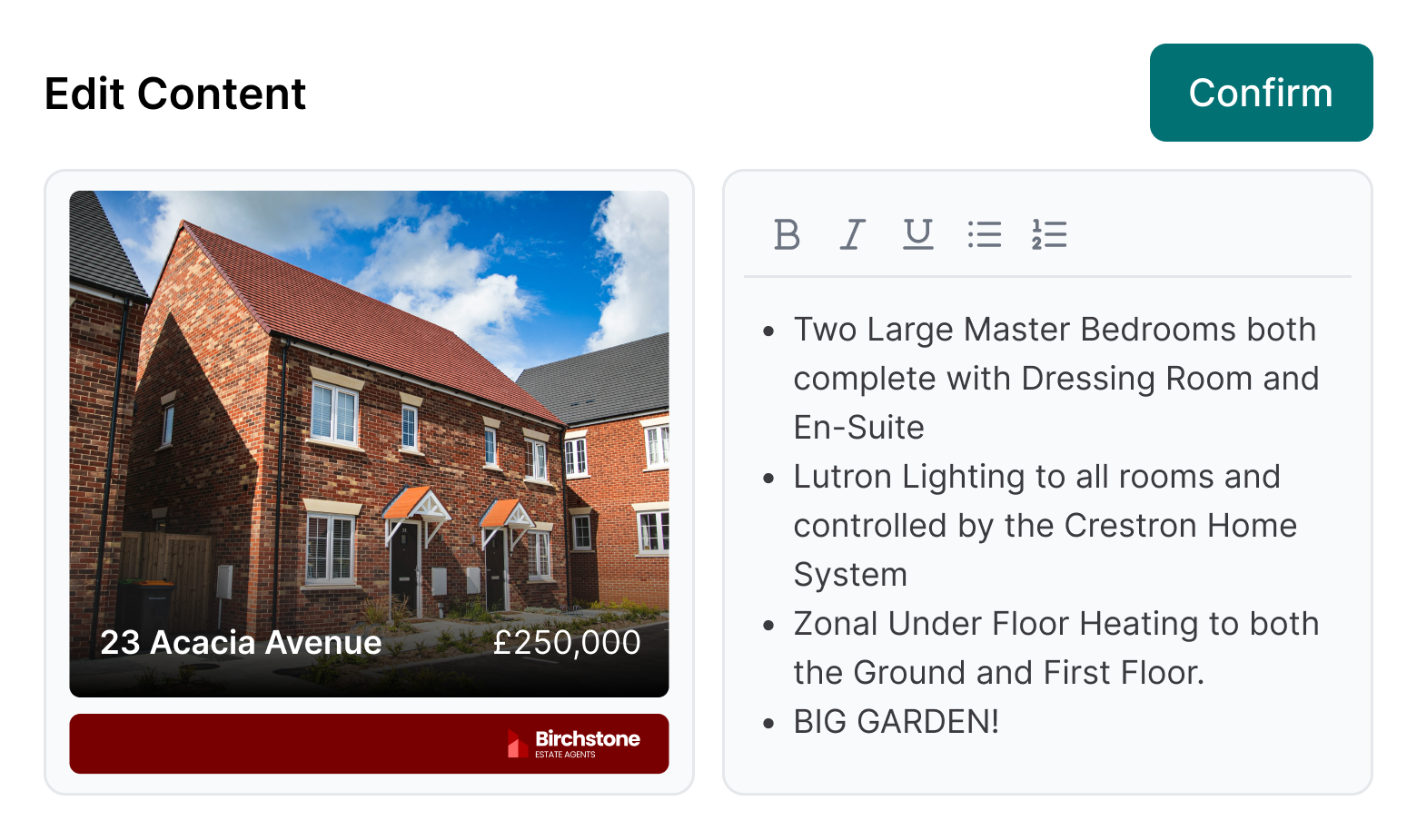
Head to any property page, click Create, and select Generate Brochure. Choose from templates set up in your branch settings, with your logo, colours, and layout already built in. The brochure opens with your primary photo and description in place. Swap in any other property images with a click, edit the text directly, and reorder or delete pages until the layout is right. Hit save and publish to the portals in the same move. Need to update it later? Generate a new version using the same template and Street uses your last brochure as the starting point. You only edit what's changed.
- Pre-populated content: Your primary photo and description load automatically. No re-entering data that's already in Street.
- Photo swapping: Click any photo placeholder and choose a replacement from the property's uploaded images.
- Text editing: All written content is editable. Adjust descriptions, tweak formatting, or add detail directly in the editor.
- Portal publishing: Tick publish on save and the brochure goes live on your portal listings with a public URL.
- PDF download: Download the brochure from the property's documents for printing or emailing to buyers.
- Vendor sharing: Toggle share settings to let vendors view the brochure in their Street consumer app or desktop account.
RELATED FEATURES
Frequently asked questions
Templates are configured in your branch settings. That's a one-time setup. Once they're in place, they're available to select whenever you generate a brochure from a property page. In multi-branch networks, each branch sees only its own active templates.
All content is editable. Click any photo to swap it from your property's uploaded images. Click any text to edit the wording and formatting. Reorder, duplicate, or delete pages to get the layout right.
PDF. Once saved, the brochure is stored in the property's Documents and Files. Download it from there to print or email.
Tick the publish option when you save and the brochure goes live on your portal listings. Street creates a public URL and adds it to the property's Other Media section automatically.
Toggle owner sharing on from the share settings and the brochure appears in the vendor's Street consumer app or desktop account.
Generate a new brochure using the same template. Street uses your most recent version as the starting point, so you update only what's changed. Save the new version and it replaces the old one on the portals.