








Every client reply. On the right deal. Tracked.
What it is
Read in Street.co.uk, reply in Street.co.uk, and the whole thread logs automatically. Every client reply lands on the right person, property, or deal.
Who benefits
Negotiator. Reply from the activity stream. Every thread sits on the right contact and property. The client hits reply, you hit 'reply to', and you're done.
Manager. Client email visible across the business. Full audit trail on every conversation. Nothing stuck in personal inboxes.
Team. A colleague picks up a live deal and the whole email history is already there. No forwarding, no "can you catch me up?"
100%
Of client replies logged automatically. On the right deal.
0
Tabs to switch. Reply inside the activity stream.
Total
Oversight over conversations across your whole agency.
Scattered inboxes cost you deals. Connected threads win them.
Read it in Street. Reply in Street. Logged in Street.
Every client reply on the right deal. Full visibility for your team. Nothing stuck in a personal inbox.

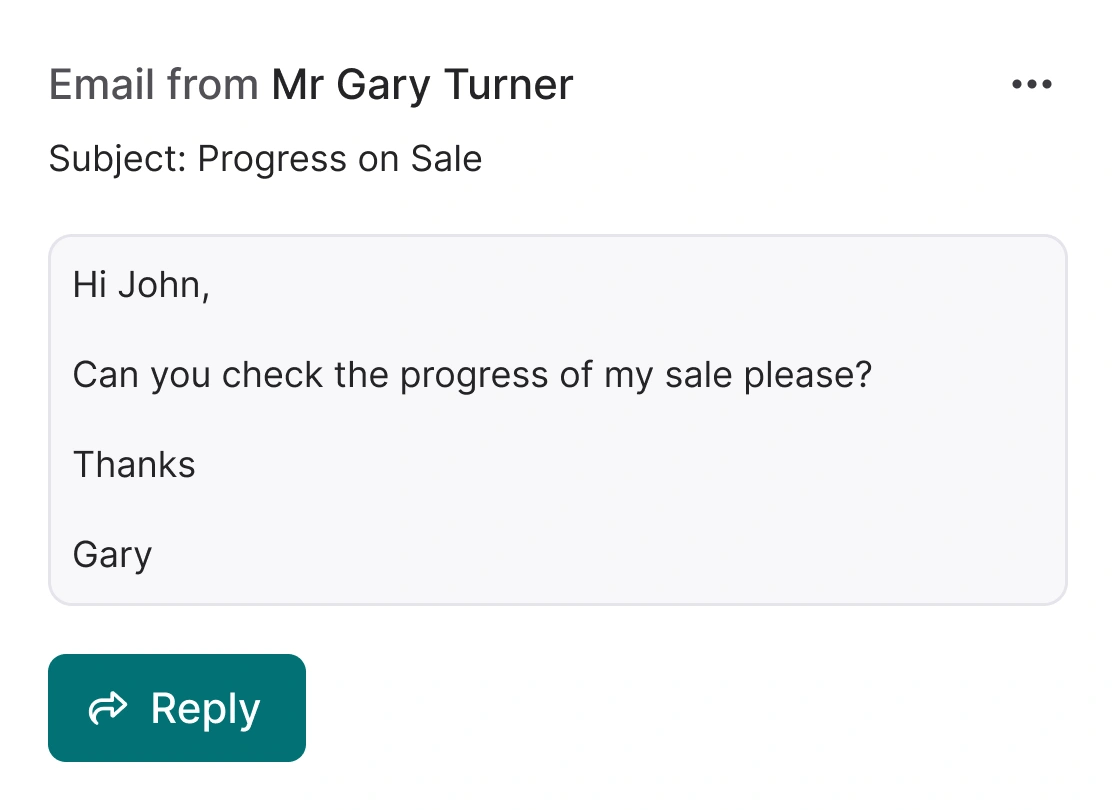
Every reply, on the right page.
The client hits reply. The full thread lands on the relevant person, property, or deal. Click to expand and everything is visible.
- Automatic thread logging: Replies arrive in the activity stream and the previous email chain comes with them. Full context, no searching.
- Every entity covered: Email sent from a property page? The reply shows on the property. Sent from a person page? The reply shows there.
- One switch, whole branch: A Company Admin turns Two-Way Email on in Settings and it is ready across the agency.

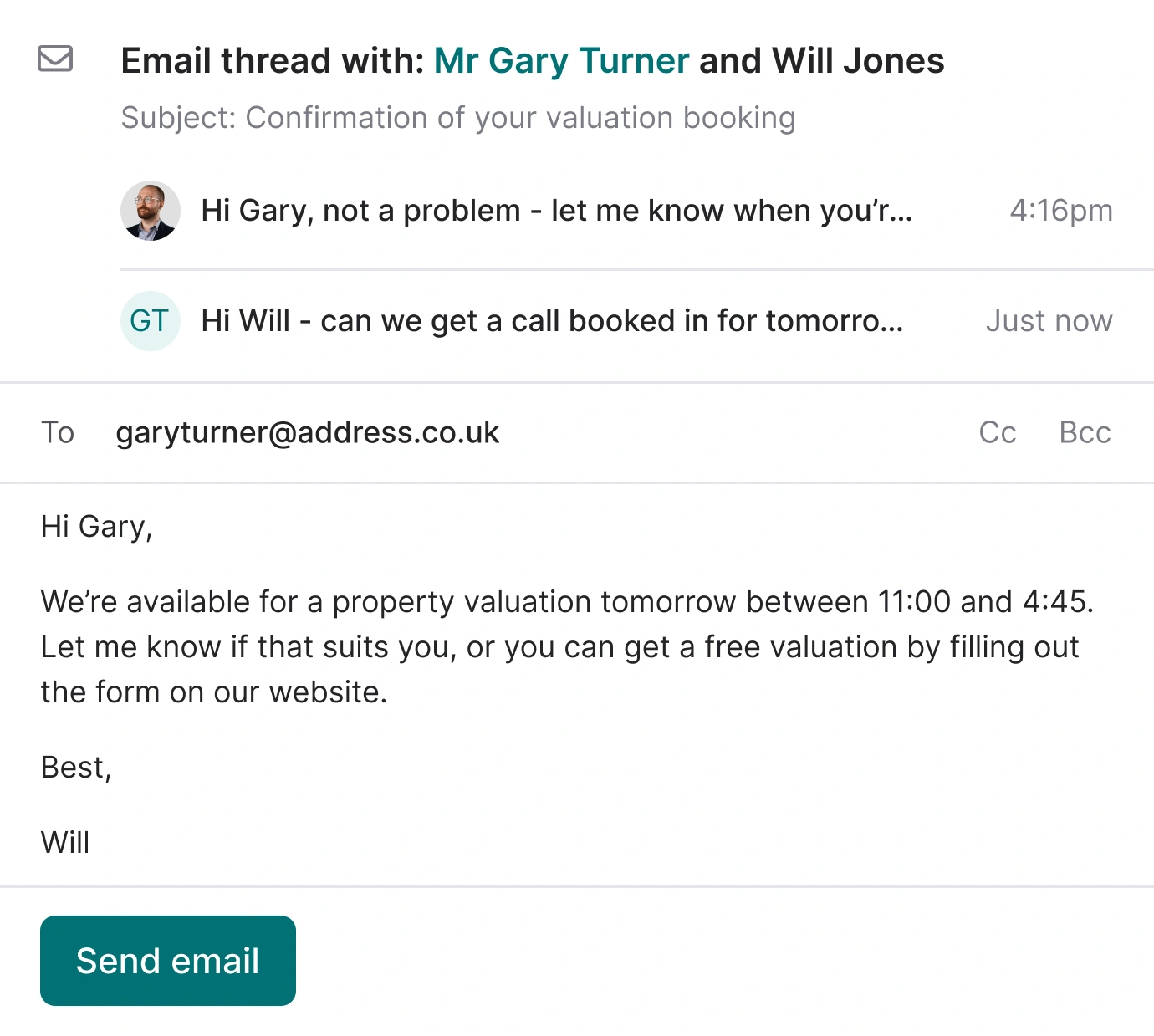
Reply without leaving the deal.
Open any email in the activity stream, hit 'reply to', write the response, and send. Your reply logs for the team to see.
- In-thread reply: Expand any email, hit 'reply to', and compose inside Street.co.uk. No switching tabs.
- Templates and recipients ready: Pull in saved templates, choose recipients from the entity, and send.
- Reply to any thread: Works on emails you sent, replies from clients, and automated sends. Any thread, any time.
- Team visibility: Your reply appears in the activity stream, so managers see the conversation and handovers stay clean.
RELATED FEATURES
Frequently asked questions
Company Admins only. Head to Settings > Company Settings > General, then toggle 'enable two way email'.
Yes. Every reply still goes to your branch or individual inbox as normal. Two-Way Email adds Street to the thread, it does not replace your inbox.
No. They hit 'reply' like they always would. An extra recipient shows in the 'to' field (your network email on mail.street.co.uk), so they do not need 'reply to all'.