








Tasks assigned. Due dates tracked. Nothing forgotten.
What it is
Your entire pipeline, visible from one place. Every transaction has tasks: valuation follow-ups, solicitor chasers, completion checklists. Tasks assigned to the right person, due dates set, overdue work flagged. Visible from the property, the viewing, the tenancy, wherever your team already works.
Who benefits
Negotiator. Your entire day, at a glance: what's due, what's overdue, filtered to exactly what you're working on. No excuses.
Manager. Your team's workload on one screen. Who's carrying what, who's overdue, and holiday cover in one click.
Completion Manager. Every property's outstanding actions on one page, including linked viewings, offers, and valuations. Nothing slips at the last minute.
See how task management works in Street.
Every transaction, every milestone, visible from one place.

Zero
Missed actions. Tasks tied to every property, viewing, and tenancy. Always visible.
One
Every record, one task list.
Unlimited
Custom task types. Build your own to match how your team works.
Your smarter, simpler way to keep everything moving. Tasks tracked, assigned, and visible across your entire pipeline. Nothing gets missed.
Smarter tasks. Simpler days.
No forgotten actions. No missed deadlines. Every transaction moving forward.

Build tasks into your daily flow.
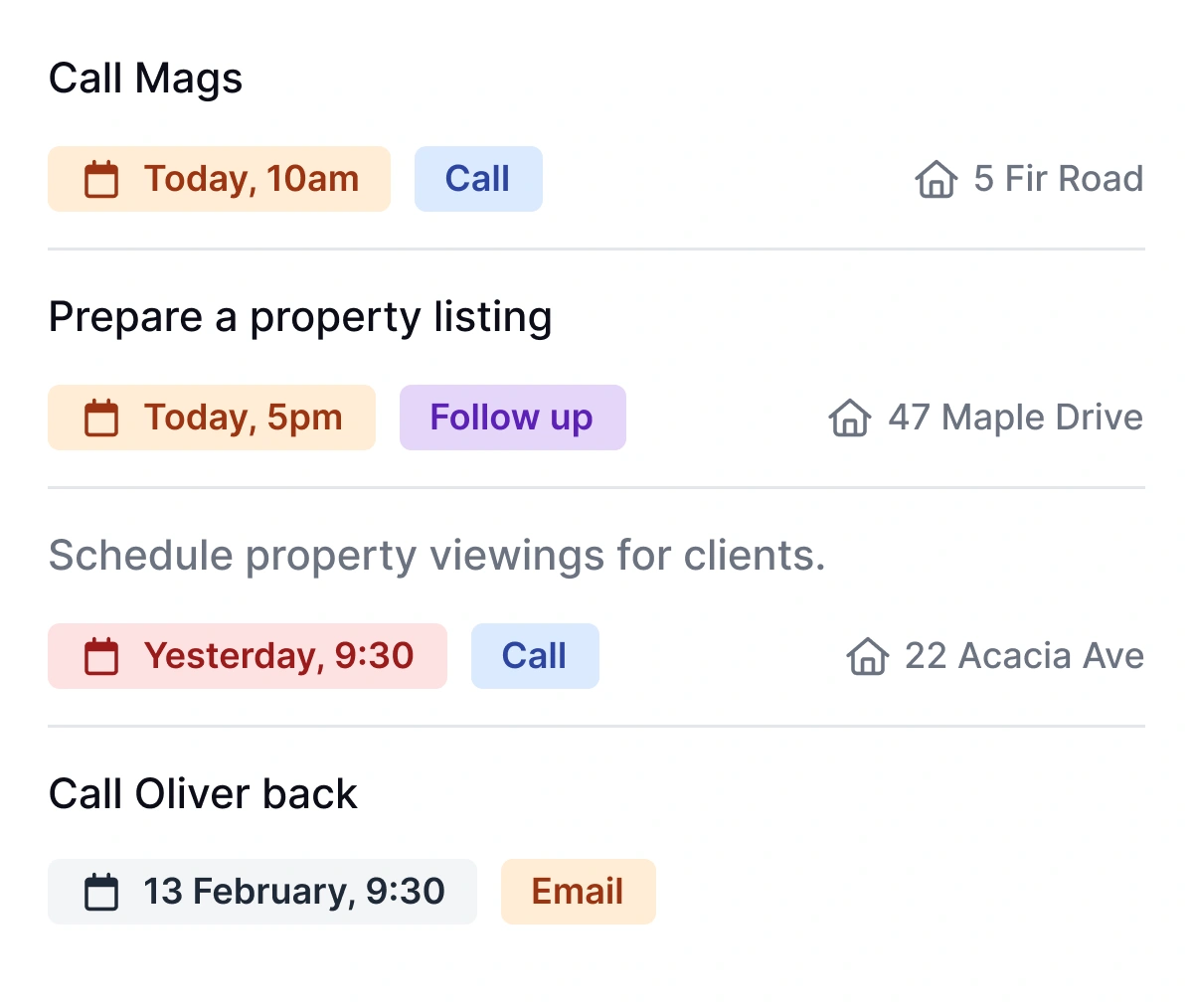
Create tasks from where you're already working: a property record, a valuation, a sales offer, or the main tasks overview. Assign due dates, owners, and task types. Set them to repeat. Fly through your list with focus.
- Custom task types: Follow-up, call, and email built in. Create your own for valuation chasers or compliance checks, and assign them to specific areas of the system.
- Repeating tasks: Set any task to repeat on completion or on a fixed schedule, daily, weekly, or monthly. The routine stuff runs itself.
- Saved views: Filter by due date, assignee, branch, type, or status. Save the view and pin it to your dashboard so your workflow always feels like your workflow.
- KPI widget: Instant visibility of outstanding tasks. Overdue work flagged in red so nothing hides, and you stay confident you're on track.
RELATED FEATURES
Frequently asked questions
Yes. Create them in company settings. Name the type, choose where it's available, and set a default repeat schedule.
Yes. On completion or on a fixed schedule, daily, weekly, or monthly.
Yes. Every task has an assignee. Filter by any team member to see their full list.
Flagged in red on property pages, on the tasks page, and on your dashboard. You can also bulk-remove old overdue follow-ups.