








Every tenancy. Every milestone. Tracked.
What it is
Manage the full tenancy lifecycle from creation to move-out. Deposits tracked. Renewals automated. Move-outs guided step by step. Every milestone visible. Every deadline met.
Who benefits
Lettings Agent. Expiring tenancies surfaced automatically. Renewals created 90 days before expiry. Move-out checklists that guide your team through every step. No missed deadlines.
Landlord. Tenancy status visible. Deposit details stored. Renewal outcomes communicated. Full transparency.
Property Manager. Every tenancy tracked from creation to completion. Deposits managed. Permitted occupiers recorded. Nothing falls through the cracks.
Automated
Renewals created 90 days before expiry.
Zero
Missed renewal deadlines. Expiring tenancies surfaced automatically.
100%
Tenancy milestones tracked, from creation to move-out.
Every tenancy passes through renewals, deposits, rent reviews, and move-outs. Miss one milestone and the whole lifecycle falls behind.
From creation to move-out. Tracked end to end.
Renewals triggered automatically. Deposits tracked and registered. Move-out checklists that guide your team through every step. Full visibility at every stage.

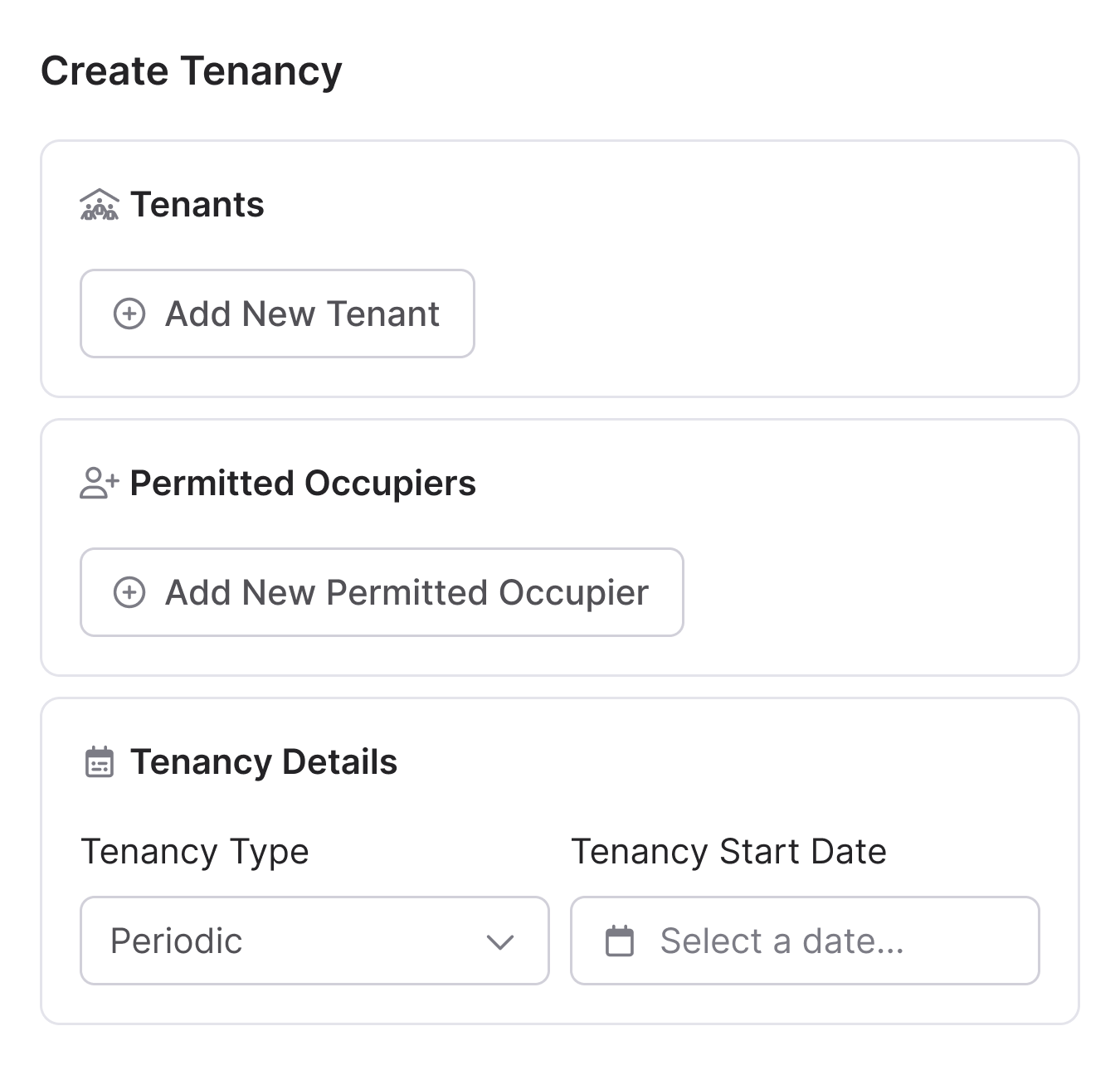
Create tenancies. Your way.
Two routes in. Start from a lettings application and take the tenancy through offer, referencing, and creation with the full timeline preserved. Or create the tenancy straight from the property page for migrations and management takeovers, with no unnecessary steps.
- From application: Offer through to tenancy with every stage tracked. Nothing missed.
- Direct creation: New to Street.co.uk or taking over management? Create the tenancy directly and skip what you don't need.
- Third-party tenancies: Managed by another agent? Flip one toggle to store the tenant details. No rent or service level required.
- Permitted occupiers: Add them from the offer, at creation, or on an existing tenancy. Done.

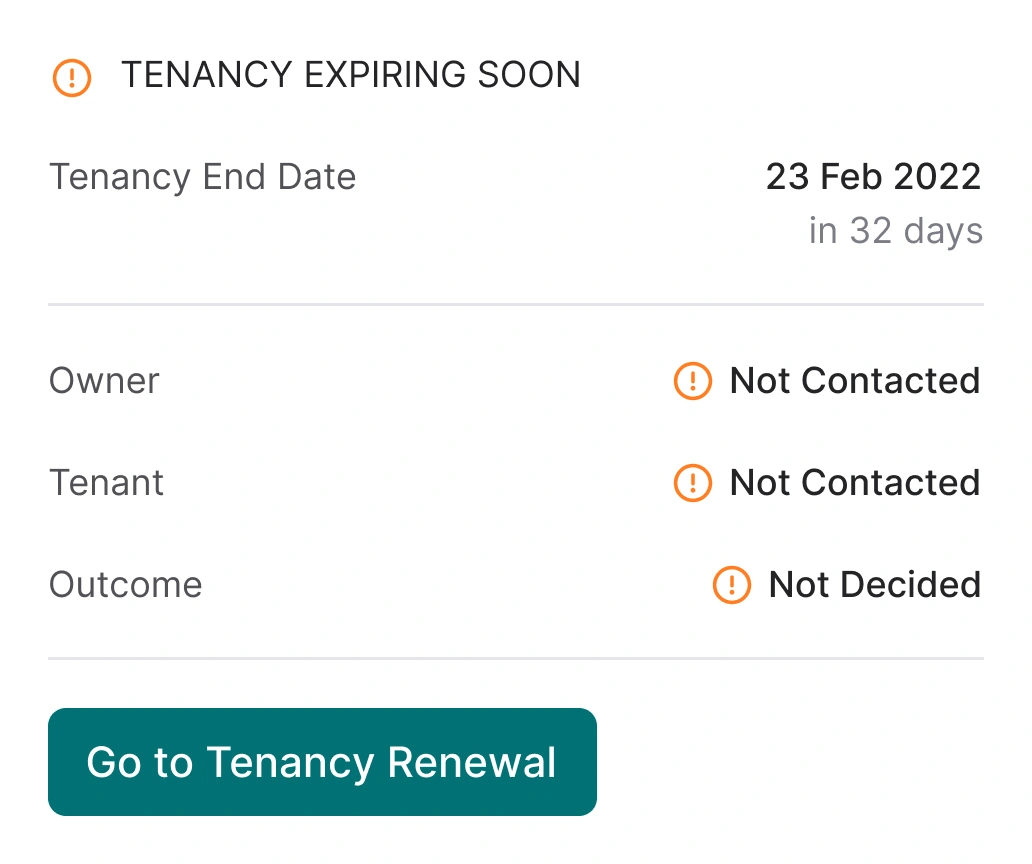
Renewals that handle themselves.
Tenancy expiring in 90 days? Street.co.uk creates the renewal automatically, with no manual setup. Your team just records the outcome.
- Automatic creation: Every night, Street.co.uk checks for active, lettings-managed tenancies expiring within 90 days. If there's no existing renewal or upcoming terms, a renewal is created automatically.
- Expiring tenancies view: Filter by due date (90 to 60 days, 60 to 30 days, or already expired) so you see exactly what needs attention. Also available as a quick-view tile on the Tasks page.
- Owner and tenant contact: Record who you've spoken to and what they want, whether that's to renew, go periodic, or end the tenancy. Notes stored directly against the renewal.
- Outcome tracking: Status updates at every stage. See at a glance where each renewal stands across your portfolio.

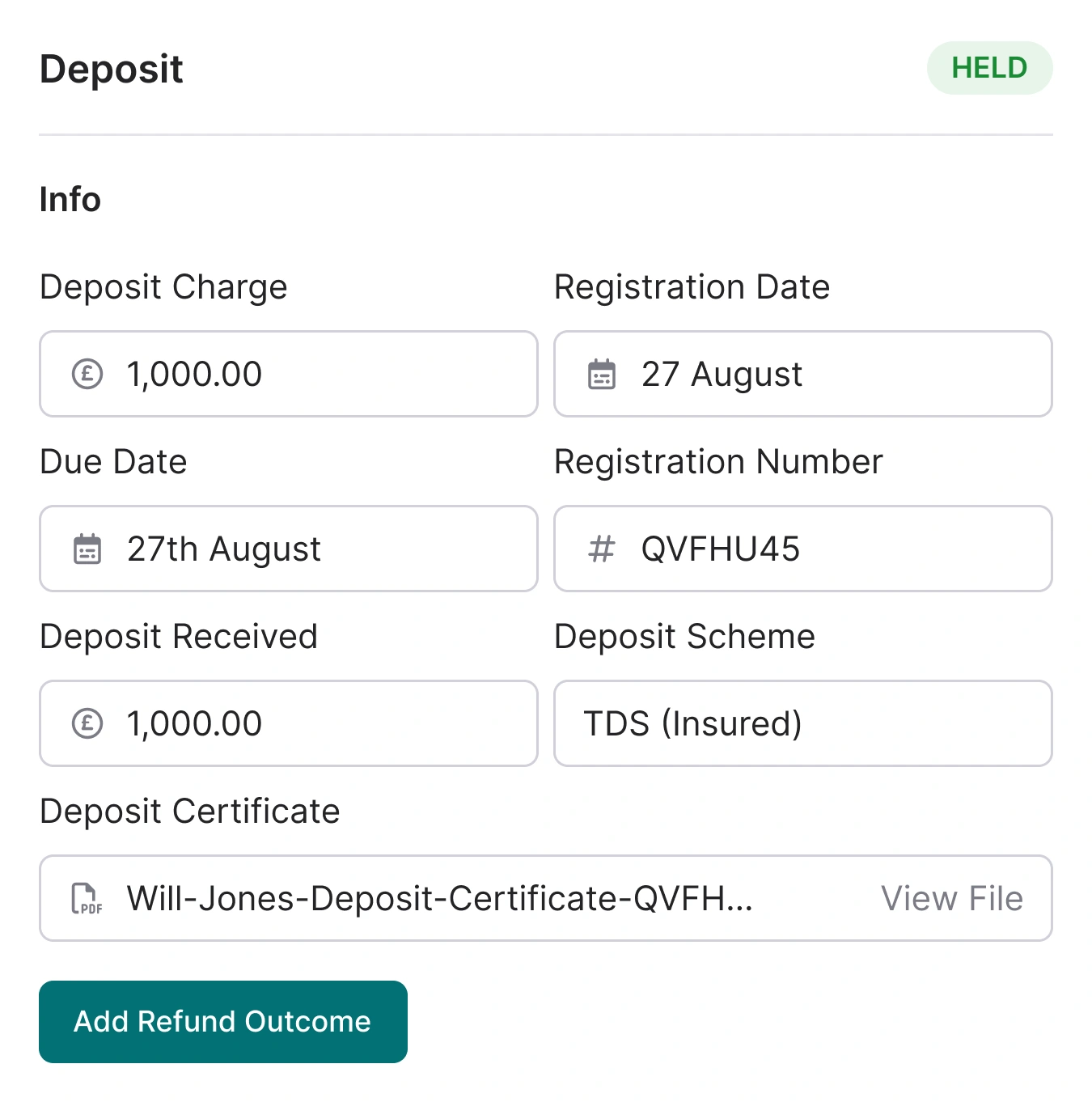
Deposits tracked. From receipt to refund.
Add deposit details during the lettings application or directly on the tenancy. Registration tracked, certificates stored, and refunds recorded at move-out.
- During application: Add deposit amount and scheme in the tenancy agreement tile. Mark as received when the tenant pays. Add registration details and upload the certificate.
- On the tenancy: Deposit details stored in the Tenancy Details tab. Edit amount or scheme at any time.
- At move-out: Deposit refund tile on the move-out page. Itemise any deductions and record the refund date.

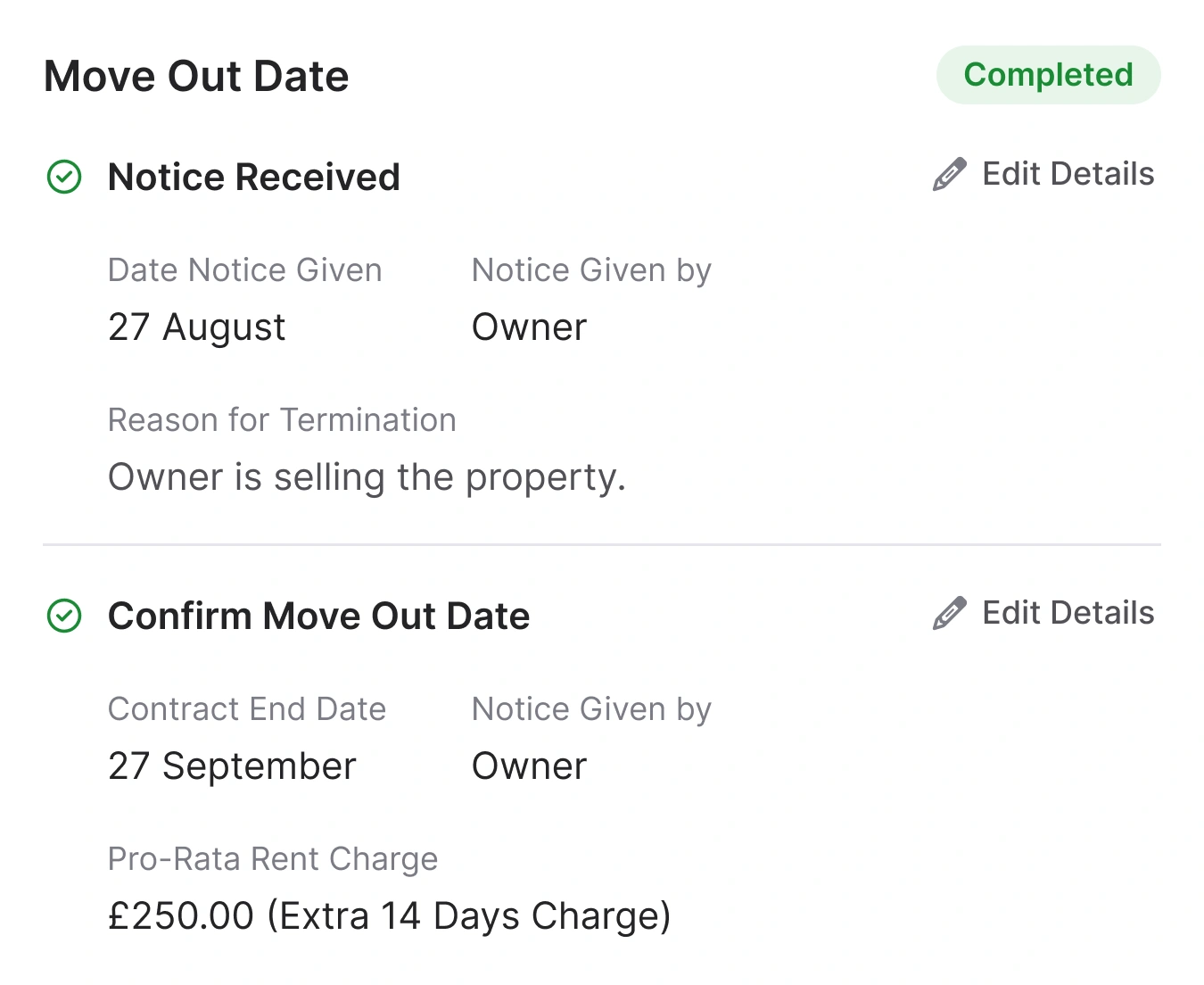
Move-outs. Guided from start to finish.
Tenancy ending? Street.co.uk guides your team through every step, from notice received to deposit refunded. A tiled checklist lights up green as each task completes.
- Two starting points: End a tenancy directly from the tenancy page, or progress from a renewal where the owner or tenant wants to end.
- Full checklist: Forwarding address, check-out report, utilities meter readings, key return, and deposit refund, all in one place.
- Move-out date tracking: Date confirmed on the move-out tile. The tenancy page updates dynamically, so changing the date adjusts everything.
- Check-out booking: Book a check-out appointment with an assignee and date. The event appears in your Street calendar automatically.
"Tenancy agreement creation was reduced from 25-30 minutes to just 6-7 minutes — a time saving of over 75% on one of our most frequent tasks."
Ben Steer, Director, Tim Russ Estate Agents
RELATED FEATURES
Frequently asked questions
Street.co.uk automatically creates renewals for lettings-managed tenancies expiring within 90 days. The system checks every night and creates renewals for any qualifying tenancy that doesn't already have one or have upcoming terms.
Yes. You can create tenancies directly from the property page. This is useful for migrations to Street.co.uk, management takeovers, or tenancies managed by another agency.
Street.co.uk provides a tiled checklist covering notice received, move-out date confirmation, forwarding address, check-out report, utilities, key return, and deposit refund. The only mandatory sections are notice received and move-out date confirmation.
Yes. Permitted occupiers can be added from the lettings offer, when creating a tenancy, or on an existing tenancy via the Tenancy Details tab. They must be a person in your network.