








Win the instruction. Give vendors a reason to choose you.
What it is
The Vendor App puts vendors in control of their sale from day one. Listing approvals, viewing confirmations, offer updates, and property queries handled through a branded app that keeps them informed without calling your team.
Who benefits
Vendor. Property status, upcoming viewings, and relayed offers all in one app. Vendors accept or reject viewings directly and answer agent questions during viewings from their phone.
Agent. Vendors approve listings, complete PIQs, and submit compliance checks before you make a single call. Viewing confirmations and property queries are handled without you chasing.
Branch manager. Every vendor gets the same branded experience from day one, so your team spends less time on inbound calls and more time on instructions.
Vendors stay informed. Agents stop chasing.
Listings, viewings, offers, and property queries. All in a branded app.
Instruction winner
Show prospective vendors the app on a valuation and give them a reason to choose you over every other agent they have seen.
Zero extra cost
Included in your standard Street subscription with no additional fee.
Fully branded
Your name, logo, and colours. Vendors see your agency, not Street.
Keep vendors informed automatically. The Vendor App shows viewings, offers, and updates in real time, so your team can focus on selling.
Vendors who trust the process. Agents who stop chasing.
Real-time visibility from day one, so vendors stay engaged and your team gets its time back.

Listings approved, compliance completed, PIQ submitted. Before you have made a single call.
When a property is instructed, the vendor's task list appears in the app automatically. They approve their listing, review photos and descriptions, and suggest any changes directly from their phone. If you have AML compliance checks enabled, vendors submit those through the app too. If PIQ is set up on your account, vendors complete their property information questionnaire the same way. Each task is handled at the vendor's convenience, without your team needing to coordinate it manually.
- Listing approval: Vendors review their property details, photos, and description, and approve or suggest changes directly from the app.
- Compliance checks: If Landmark AML integration is enabled, vendors submit their compliance checks as a task in the app.
- PIQ submission: If PIQ is configured for your branch, vendors complete their property information questionnaire from the app at their own pace.

Vendors confirm viewings. You stop chasing them.
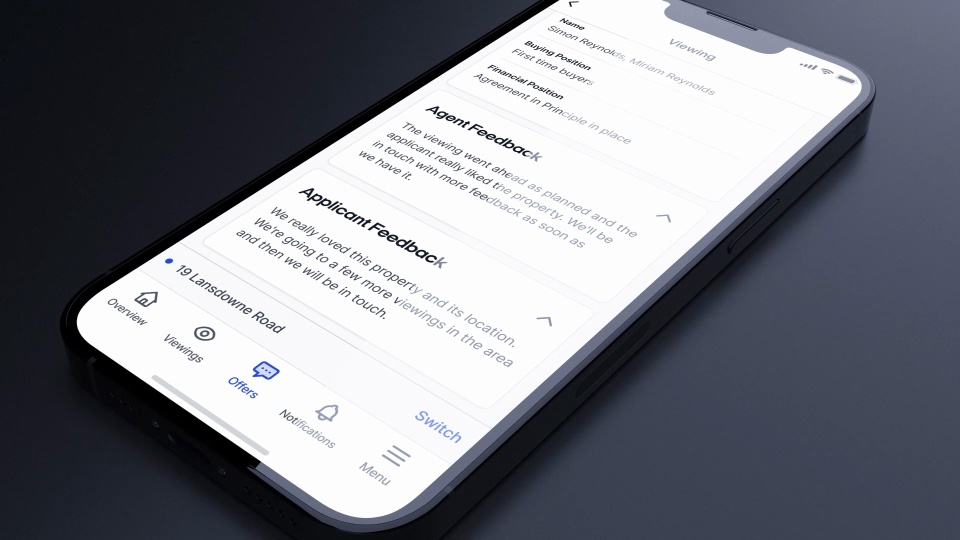
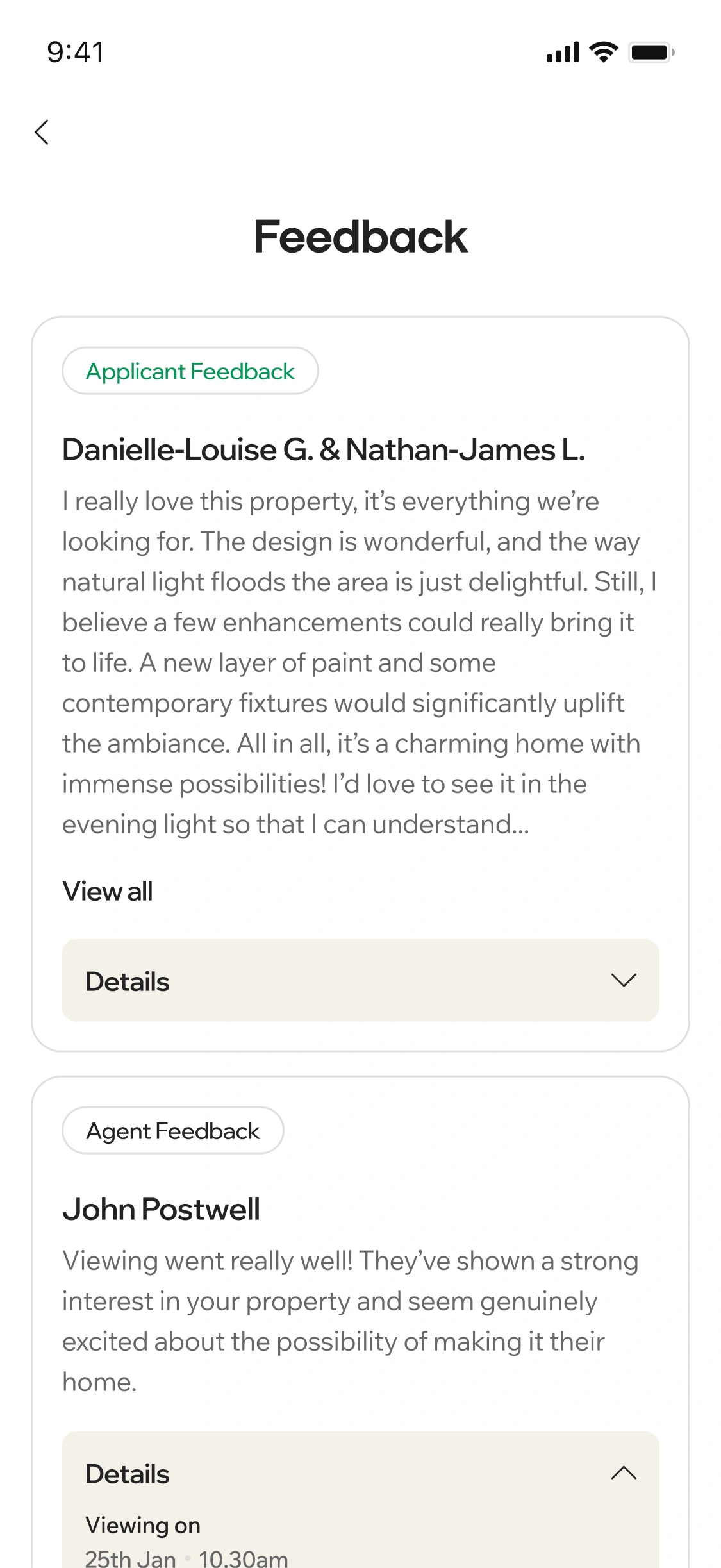
Every confirmed and upcoming viewing appears in the vendor's app, along with completed and cancelled viewings. Vendors see the applicant's first name and buying and financial position so they understand who is viewing their property. They accept, reject, or cancel viewings directly from the app without needing to call your office. After a viewing, feedback submitted by your team in Street appears in the app so the vendor stays informed about how interest is developing.
- Viewing management: Vendors accept, reject, and cancel viewings directly from the app.
- Applicant information: Each viewing shows the applicant's first name and their buying and financial position.
- Viewing feedback: Feedback submitted by your team after a completed viewing is visible in the app.
- Upcoming and completed: Vendors see the full history of upcoming, completed, and cancelled viewings in one place.

Offers visible the moment you relay them.
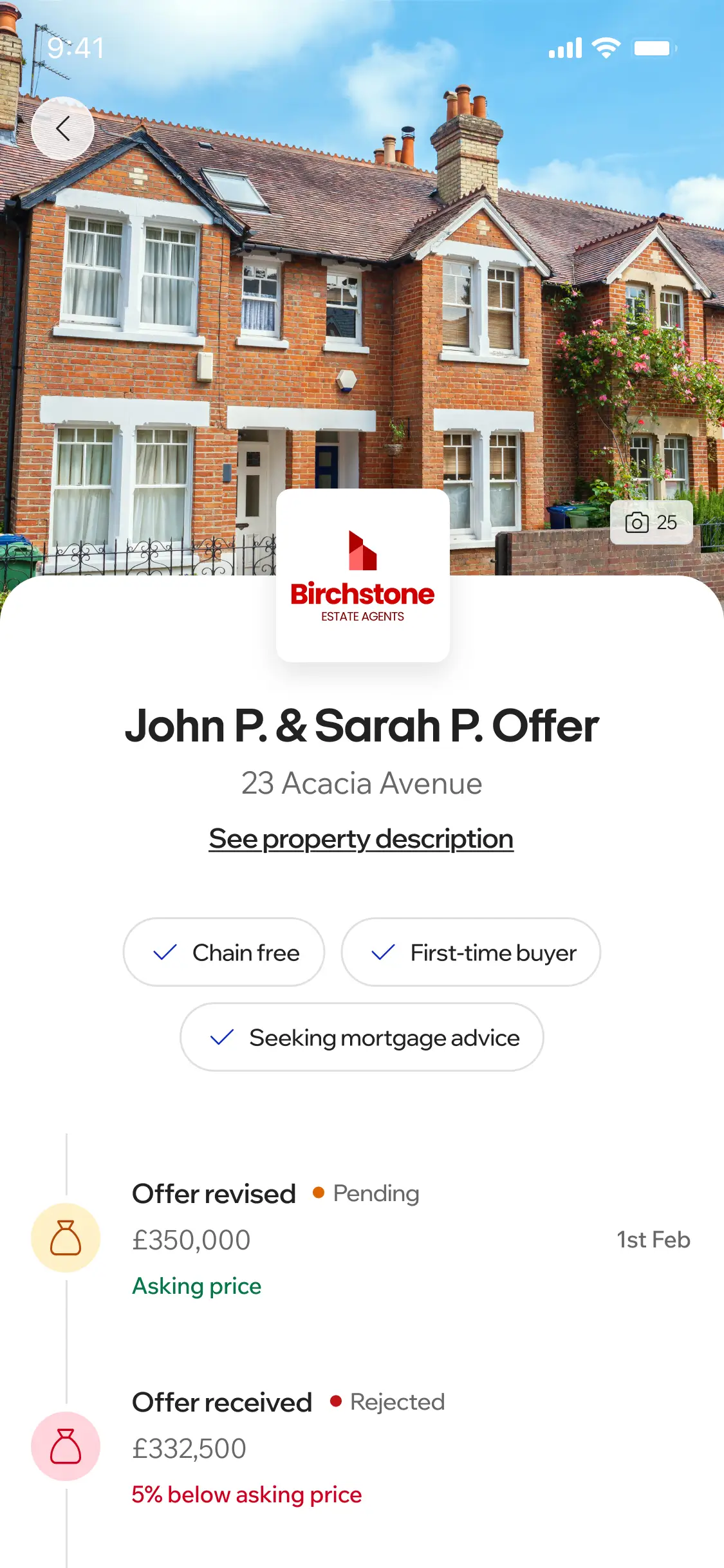
When your team marks an offer as relayed to the vendor in Street, it appears in the app immediately, showing the offer price, the buyer's financial position, and how the offer compares to the asking price as a percentage. Vendors can see a record of previous viewings from that applicant alongside the offer details. All previous offers, including rejected ones, remain visible so vendors have a clear picture of how interest has developed. Vendors cannot accept or reject offers through the app; they contact your agency to discuss, keeping your team in control of the negotiation at all times.
- Offer details: Offer price, buyer financial position, and percentage above or below asking price shown for every relayed offer.
- Applicant history: Previous viewings from the offering buyer are visible alongside the offer.
- Full offer history: Rejected and previous offers remain visible so vendors can see the full picture.
- Agent-controlled: Offers are informational only. Vendors discuss and respond through your agency.
Questions answered during viewings. Not after them.
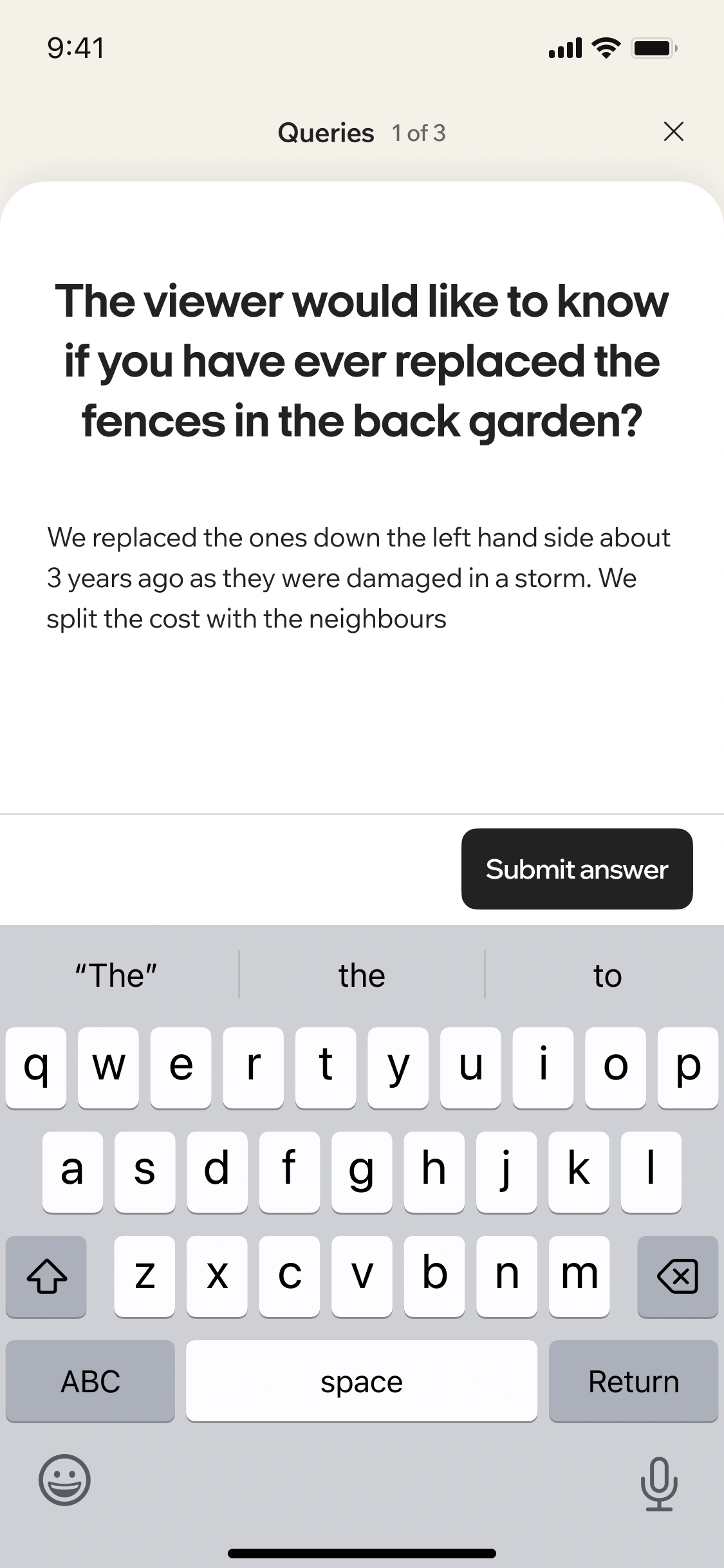
When an agent has a question during a viewing that only the vendor can answer, they submit it through the Street Agent App and it appears instantly in the vendor's app. The vendor responds directly from their phone and the answer updates in the agent's app in real time, so viewings keep moving without the agent having to say they will find out and get back to you. Vendors can also see a history of every question they have previously answered.
- Real-time responses: Questions submitted during a viewing reach the vendor instantly and answers flow back to the agent without interrupting the viewing.
- Full query history: Vendors see all previous questions and their responses in one place.
- Portal links: Vendors access a direct link to their live listing on each portal your agency has published to.
Vendors see how their listing is performing.
Vendors can see how many times their listing has been viewed on the portals directly from the app, giving them a clear picture of the interest their property is generating without needing to call your office for an update.
- Portal viewing stats: Live view count from portal listings, visible to the vendor in the app at any time.
"Our clients are busy, we're busy. If I need to send a viewing request, they can do it from their phone with their work diary in front of them. Or, if it's late at night when they've got confirmation from their partner if they're around, they can still easily confirm it or not, without needing to call."
Robert Fitzjohn, Fitzjohn Estates
RELATED FEATURES
Frequently asked questions
Yes. The app automatically adopts your agency's name, logo, and brand colours when a vendor logs in. Your clients see your brand throughout, with your contact details available directly in the app.
Offers marked as relayed to vendor are visible in the app, showing the offer price, buyer financial position, and percentage above or below asking price. However, vendors cannot accept or reject offers through the app. They are displayed for informational purposes only and vendors should contact your agency directly to discuss.
Yes. Vendors can accept, reject, and cancel viewings directly from the app. They can also see the applicant's first name and buying and financial position for each viewing request.
Depending on which features are enabled on your account, vendors can approve their listing, submit their AML compliance checks, and complete their property information questionnaire directly from the app. Each task appears automatically when the property is instructed.
Yes. The Vendor App is included as standard in your Street subscription at no additional cost. Your vendors can download it for free from the App Store or Google Play.